Single-body STL export broken; add export to solid context menu
[UI Bug] Cannot select or export individual bodies as STL; feature request for context menu export
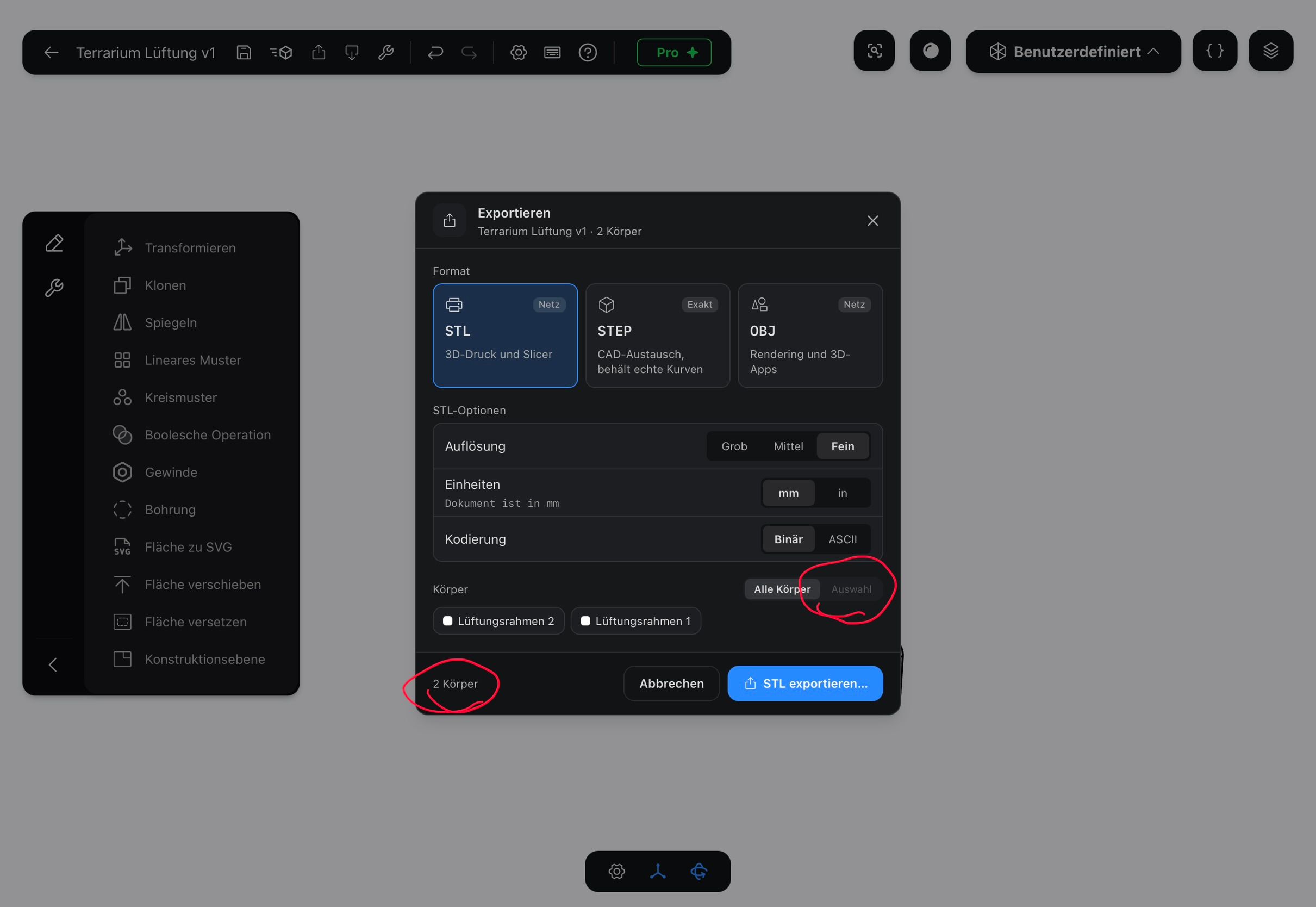
In Part3D, the UI indicates that exporting individual bodies (solids) as an STL file is supported, but the select button is disabled/greyed out when trying to use this feature, making it impossible to select and export a single body. Since this functionality is heavily relied upon for daily workflows, it is a high-priority issue.
Additional Suggestion / Feature Request:
To improve usability, add an "Export" option to the three-dot menu (...) of each solid in the right side panel (where solids are currently managed, renamed, deleted, and toggled on/off). Since renaming and deleting are already handled via this context menu, placing the export option there would fit the existing UX pattern very well.
Log in to comment and vote
Comments4
Angelo Bartolome
Oct 23
Hi, thanks for the report.
The "Selection” feature works but it is not clear how it does, one must select the solid before opening the panel, however I understand that this is not the best UX.
I'll look into this
Luca Daniele Vincenti
Oct 23
I've tried that several times already. When I select a body and then open the panel, the selection is deselected.
It might work on the MacBook—I haven't opened it in a while since I mostly work on my iPad. Unfortunately, I can't test it right now because my MacBook is in for repairs. As soon as it's back, I'll check to see if it works there.
Angelo Bartolome
Oct 23
Can you try unselecting everything then selecting a single face like this?
Luca Daniele Vincenti
Oct 25
I testet it like this, and it works. Thank you, that helps a lot.
But i still think its confusig to select a face of a body instead of the body. It should work with the body and as well with a face of the body.